


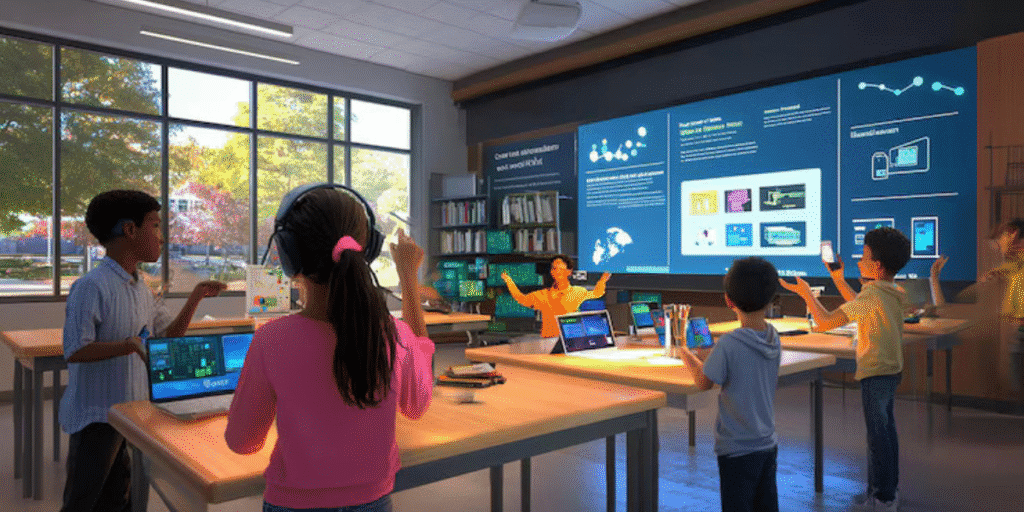
In today’s fast-paced digital world, students are surrounded by technology outside the classroom—smartphones, tablets, gaming consoles, and interactive apps. When they step into a traditional classroom filled with chalkboards and static textbooks, the contrast can feel jarring. This is where interactive boards step in as a powerful bridge between modern digital experiences and meaningful learning.
Interactive boards, also known as interactive flat panels or interactive whiteboards, transform the classroom from a one-way lecture space into a dynamic, collaborative learning environment. Rather than simply listening and taking notes, students can touch, move, draw, and interact directly with the content on screen. This shift from passive to active learning is at the heart of improved classroom engagement.
Turning Passive Learners into Active Participants
Traditional teaching often follows a predictable pattern: the teacher explains, students listen, and then maybe answer a few questions. Interactive boards break this pattern by inviting students to participate at every step.
- Touch and interaction: Students can come up to the board, drag and drop objects, highlight key points, solve problems, and annotate diagrams. This physical interaction with content keeps their minds alert and curious.
- Instant feedback: Teachers can quickly run quizzes, polls, or interactive exercises and display the results immediately. Students see how they’re doing in real time, which motivates them to pay attention and improve.
- Student-led sessions: With interactive boards, students can present their own work, explain concepts to peers, or demonstrate solutions. This shifts the classroom from “teacher talks, students listen” to “everyone contributes.”
When learners feel involved and responsible for what happens in class, their engagement naturally rises.
Making Lessons Visually Rich and Memorable
Many students struggle to stay focused when information is presented only as text or speech. Interactive boards allow teachers to bring lessons to life with rich multimedia content:
- Videos and animations: Complex ideas—such as scientific processes, historical events, or mathematical concepts—become easier to grasp when shown through short animations or explainer videos.
- High-quality images and diagrams: A geography lesson can include interactive maps; a biology class can zoom into 3D models of cells or organs. Students remember what they can see and interact with.
- Real-world examples: Teachers can instantly pull up current news articles, infographics, or industry examples to connect theory with real life.
This visual and interactive approach supports different learning styles—visual, auditory, and kinesthetic—ensuring that more students stay engaged and understand the subject better.
Encouraging Collaboration and Teamwork
Interactive boards are not just large screens; they are collaboration hubs. Multiple students can interact with the board at the same time, depending on the technology used. This opens up powerful opportunities for group work.
- Group problem-solving: For subjects like mathematics, science, or coding, small groups can come to the board to solve problems together, discuss approaches, and correct each other’s mistakes.
- Brainstorming and mind-mapping: In language or social science classes, students can build mind maps, list ideas, or plan projects on the board. Everyone’s thoughts are visible and valued.
- Project presentations: Teams can present their projects using slides, videos, charts, and live annotations on the board, building both confidence and communication skills.
When students collaborate, they feel more connected to the class and more invested in the learning process, which significantly boosts engagement.
Personalising Learning for Different Students
No two students learn in exactly the same way or at the same pace. Interactive boards make it easier for teachers to differentiate their instruction and cater to diverse needs.
- Multiple resources in one place: Teachers can quickly switch between a video, a quiz, a diagram, and a text explanation to ensure that every student finds a way to understand the topic.
- Adaptive activities: Interactive exercises can be designed with varying levels of difficulty. While some students work on advanced problems, others can revise the basics on the same screen.
- Support for special needs: Features like zooming in, adjusting brightness, using colour contrast, or including audio support can help students with visual, auditory, or learning difficulties stay engaged and comfortable.
When students feel that the lesson speaks to their level and style, they are more likely to stay focused and participate actively.
Simplifying Assessment and Instant Revision
Engagement is not just about excitement during the lesson; it also depends on how clearly students understand where they stand and what they need to improve. Interactive boards support this continuous learning cycle.
- Quick assessments: Teachers can run short quizzes, drag-and-drop tests, or matching exercises on the board. Students answer individually or in teams, and results are visible immediately.
- Spotting learning gaps: By viewing responses in real time, teachers can identify which concepts need more attention and adjust their teaching on the spot.
- Saving and revisiting lessons: Most interactive boards allow teachers to save annotated screens. This means students can revisit explanations, step-by-step solutions, and class discussions later, supporting better retention.
This clarity and continuity reduce anxiety, build confidence, and keep students engaged with their own progress.
Bringing the Outside World into the Classroom
One of the biggest strengths of interactive boards is their ability to connect the classroom with the wider world. With internet access and educational software, every lesson can feel current and relevant.
- Virtual field trips: Students can explore museums, historical sites, or scientific labs around the world without leaving the classroom.
- Live data and examples: In subjects like economics, science, or geography, teachers can show live data, weather maps, market trends, or satellite images to make concepts more concrete.
- Global perspectives: Videos and stories from different cultures and countries help students develop a broader view and stay interested in learning beyond textbooks.
When students see how their lessons relate to the real world, their curiosity and engagement naturally increase.
Conclusion
Interactive boards are more than just modern replacements for blackboards; they are powerful tools that transform the way teaching and learning happen. By enabling active participation, visual and multimedia learning, collaboration, personalised instruction, and real-time assessment, they create a classroom environment where students are not just present—they are truly engaged.
As schools and institutions look to prepare students for a digital future, integrating interactive boards into classrooms is a practical and impactful step. They align with how today’s learners think, communicate, and explore, turning every lesson into an interactive experience that students look forward to.


