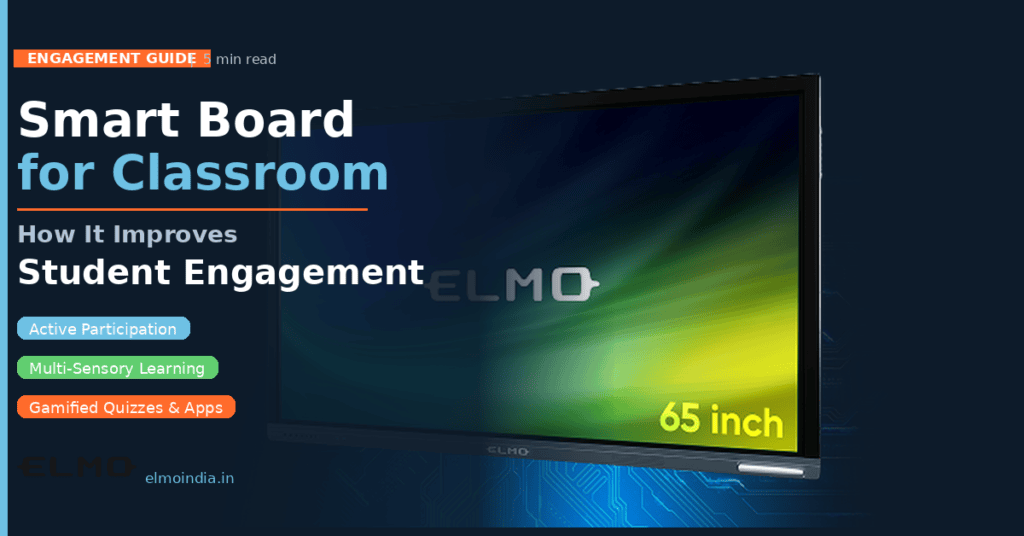
Keeping students engaged is one of the most persistent challenges in modern classrooms. The average student’s attention span begins to drop after 10–15 minutes of traditional lecture-based instruction. A smart board for classroom use addresses this directly — not by making lessons flashier, but by fundamentally changing how students interact with information. Unlike a projector-and-screen setup where students passively watch, an interactive smart board turns the front of the room into a space for active learning. This blog explains the specific ways smart boards improve student engagement, backed by research and practical classroom experience across schools in India.
1. From Passive Viewers to Active Participants
The single biggest engagement shift a smart board creates is moving students from passive viewers to active participants. When a teacher writes, annotates, and solves problems on a touch-enabled board in real time, students follow the process rather than copying a finished result. More significantly, students themselves can come up to the board to solve problems, annotate diagrams, or sort information into categories. Research published in the International Journal of Education and Development using ICT found that students in classrooms using interactive boards showed measurably higher levels of on-task behaviour compared to traditional chalk-and-board settings.
For Indian classrooms where class sizes are often 30–50 students, a large-format display from ELMO’s interactive boards for classrooms range ensures that every student — including those at the back — has a clear, engaging view of the lesson. Read our post on how smart boards are changing Indian classrooms for case studies from schools across India.
2. Reaching Every Learning Style Simultaneously
Not every student learns the same way. Visual learners absorb information through diagrams and colour-coded annotations displayed at large scale. Auditory learners engage with narrated content and educational videos synced with on-screen visuals. Kinesthetic learners get the most value from direct board interaction — touching the screen to place labels, drag elements, or solve equations. Interactive boards for classrooms serve all three learning styles simultaneously in a single lesson.
Teachers using ELMO’s digital classroom solutions report that students who previously struggled to participate in traditional lessons begin engaging more actively once tactile board interactions are introduced. This inclusive approach is especially important in Indian classrooms where the variation in student learning levels within a single class is often wide.
3. Real-Time Collaboration That Deepens Learning
Smart boards support multi-touch inputs, meaning more than one student can interact with the board simultaneously. This capability is transformative for group activities: two students can build a mind map together, teams can solve different parts of a problem at once, or the class can collectively categorise items in a quiz game. Collaboration is consistently linked to deeper learning retention — when students discuss and build on each other’s ideas at the board, the lesson becomes a shared construction. ELMO’s smart classroom solutions support up to ten simultaneous touch points, making group work genuinely possible rather than just theoretical. For project-based learning (PBL) curricula gaining traction in Indian schools, this multi-touch capability is essential.
4. Gamification, Quizzes, and Learning Apps
One of the most effective engagement strategies in modern classrooms is gamification — using game mechanics like points, timers, and leaderboards to make learning exciting. Smart boards make gamification practical at scale. Apps like Kahoot, Quizlet Live, and Google Jamboard run directly on Android-based smart boards, allowing teachers to run real-time quizzes where the board displays results as students answer on their phones or tablets. According to Samsung Business Insights research on smart board advantages, schools using interactive displays for gamified learning saw improvement in both participation rates and assessment scores within the first semester of adoption.
Teachers report that even students who rarely speak up in traditional lessons become active participants when learning is framed as a game. The competitive, time-pressured format of quiz apps spikes student attention in ways that static worksheets simply cannot.
5. Teachers Save Prep Time — Students Get Better Lessons
Student engagement is not only a function of the tools — it depends heavily on lesson quality. Smart boards eliminate several time-consuming logistics: lessons saved digitally are ready to load in seconds, handouts can be shared digitally to student devices, and board notes are available as files immediately after class. When teachers save time on logistics, they invest that time into richer lesson design. Read our post on how smart boards are changing student learning outcomes for a teacher-perspective look at this efficiency gain.
ELMO’s digital classroom tools are designed with teacher workflow in mind — reducing setup friction so educators can focus on facilitating learning rather than managing technology logistics.
6. The Evidence on Learning Outcomes
The engagement shift is not anecdotal. The ERIC-published study on interactive whiteboards found that interactive boards positively impacted student motivation, participation, and comprehension across grade levels. Research from schools in the UK, the US, and South Asia shows consistent patterns: classrooms using interactive boards consistently outperform projector-only or chalk-board classrooms on measures of student engagement and lesson retention.
For schools in India considering the investment, the question is no longer whether smart boards improve engagement — it is which smart board best suits the specific classroom. Read our analysis on why smart boards are worth the investment in Indian schools for a full cost-benefit perspective.
The Classroom of Tomorrow, Available Today
A digital board for classroom use is not simply a digital replacement for the chalk and duster. It reshapes the learning environment in ways that improve attention, participation, collaboration, and — ultimately — outcomes. From multi-sensory delivery to real-time gamified quizzes, the engagement benefits are practical, measurable, and scalable across school types. If your school is evaluating interactive boards, the ELMO smart board range is built for Indian classroom conditions, offering robust hardware and educator-friendly software that makes the transition seamless. Explore the full ELMO India smart classroom range to find the right fit for your school.
FREQUENTLY ASKED QUESTIONS
Q1: How does a smart board help students learn better?
A smart board transforms passive learning into active engagement. Students interact directly with lesson content through touch, participate in real-time quizzes and games, and collaborate on the board surface. The combination of visual, auditory, and hands-on interaction addresses multiple learning styles simultaneously, which research consistently links to better retention and comprehension.
Q2: What smart board features most directly improve student engagement?
The features most linked to improved engagement are: multi-touch capability (allows student interaction), Android OS with app support (enables gamification tools like Kahoot), large display size (ensures visibility for all students), and instant content sharing. Wireless screen mirroring that allows student devices to connect to the board also significantly increases participation.
Q3: Can smart boards help students with learning disabilities?
Yes. Smart boards are particularly beneficial for students with learning disabilities. Large, clear visual displays help students with visual processing challenges. Touch interaction supports students who struggle with traditional writing. Audio-visual content assists students with dyslexia or auditory processing difficulties. The ability to zoom in, annotate, and replay content at different speeds gives teachers more tools to differentiate instruction for diverse learning needs.
Q4: How do teachers use smart boards for collaborative learning activities?
Teachers structure collaborative activities by dividing the board surface into zones for different student groups, running shared digital whiteboard sessions where multiple students annotate simultaneously, using polling apps that display real-time class results on the board, and conducting group sorting or categorisation exercises where student teams take turns interacting. The multi-touch capability is essential for these activities.
Q5: Are smart boards effective for all age groups in schools?
Yes, smart boards are effective across all age groups, though the usage style differs. For primary students (ages 5–10), drag-and-drop activities, digital storytelling, and visual games work best. For middle school students, annotation-based problem solving, quizzes, and video analysis are common. For senior students, collaborative presentations, research displays, and data visualisation are the most impactful uses. The key is matching the app and activity to the grade level.