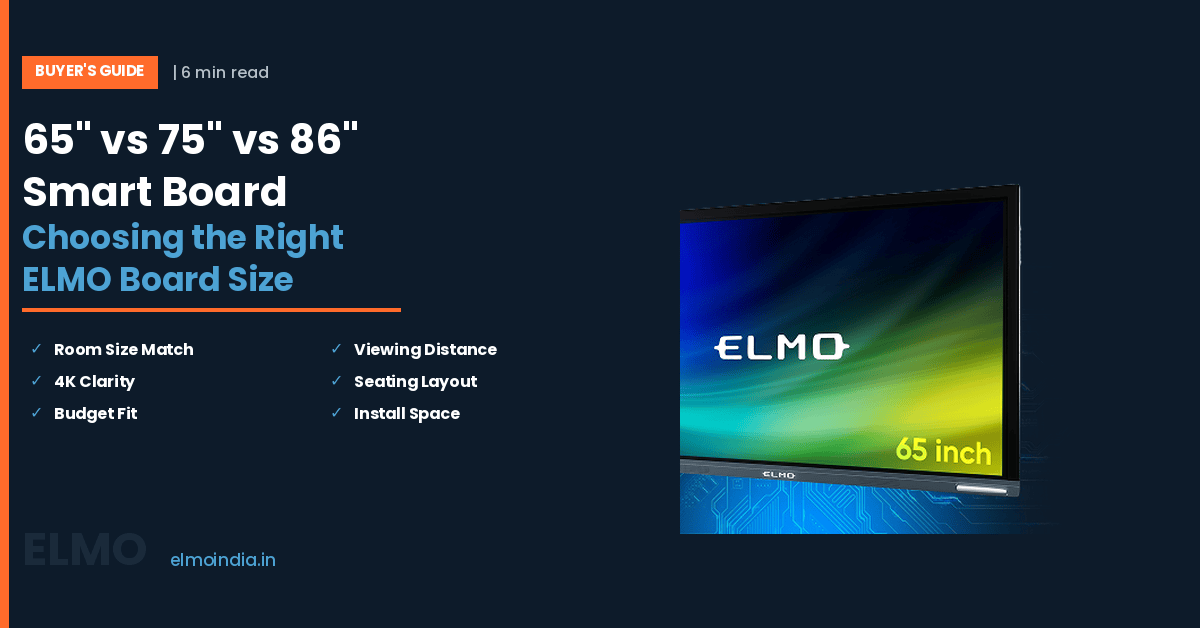
The budget is approved, the demo went well, and the only thing still open is the number on the box: 65, 75 or 86 inches. Most buyers settle it by scanning the smart board price column and picking whatever fits the sanction. That backfires about half the time. An undersized panel makes the back two rows squint for the next seven years, and an oversized one eats wall space and money you needed for content, mounts and teacher training. Screen size is a measurement problem, not a matter of taste. This guide gives you the room-based logic, a size comparison table and the checks to run before you raise the purchase order.
Start With the Room, Not the Screen
Professional AV designers never guess a display size. They measure the distance to the farthest viewer and work backwards, which is exactly what AVIXA’s Display Image Size for 2D Content standard, known across the industry as DISCAS, exists to do. It separates two viewing needs: basic decision making, where the audience reads headings, images and video, and analytical decision making, where people must read fine detail such as spreadsheet cells, marksheets or CAD lines.
The working shorthand that comes out of that thinking is easy to remember. For general classroom content, the farthest viewer should sit no more than about six times the image height from the screen. For detail-heavy content, tighten it to roughly four times the image height.
Image height, not diagonal, is what drives this. A 16:9 panel is about 0.49 times its diagonal in height, so a 65-inch board gives roughly 0.81 m of image height, a 75-inch about 0.93 m, and an 86-inch about 1.07 m. Multiply those out and you get the honest coverage of each interactive board size.
The 65 vs 75 vs 86 Inch Smart Board Comparison Table
| Panel size | Image height x width | Suits room of | Farthest viewer, general content | Farthest viewer, fine detail | Best use case |
|---|---|---|---|---|---|
| 65 inch | 0.81 m x 1.44 m | Up to about 20 sq m | ~4.9 m (16 ft) | ~3.2 m (10.5 ft) | Tutorial rooms, language labs, cabins, huddle rooms for 6-10 people |
| 75 inch | 0.93 m x 1.66 m | About 20-35 sq m | ~5.6 m (18 ft) | ~3.7 m (12 ft) | Standard school classrooms of 30-40 students, mid-size boardrooms |
| 86 inch | 1.07 m x 1.90 m | 35 sq m and above | ~6.4 m (21 ft) | ~4.3 m (14 ft) | Deep classrooms, lecture halls, training centres, large conference rooms |
The 75-inch sits in the middle for good reason. It is the size most Indian schools end up standardising on, because it clears a typical classroom’s back row without the freight, wall-strength and budget demands of an 86. Treat it as your default, then argue yourself up or down using the two distance columns above.
What Actually Moves the Smart Board Price Between Sizes
The smart board price gap between 65 and 86 inches is not a straight line. Panel glass is costed by area, and area grows with the square of the diagonal, so an 86-inch board carries far more raw display cost than a 21-inch difference in diagonal suggests. Bigger panels also cost more to crate, freight and insure across India, and that lands in your delivered price.
Installation is the second, quieter cost. Larger panels are heavier, need stronger wall fixings or a heavy-duty motorised trolley, and usually need a two-person install. For the full picture of how technology choices stack on top of size, Interactive Whiteboard Price Based on Size and Technology breaks the variables down.
Budget for what surrounds the board as well: the OPS or Android compute module, on-site warranty, and teacher training. Those costs barely change with diagonal, so they weigh proportionally heavier on a smaller order.
When a 65 Inch Smart Board Is Genuinely Enough
A 65 inch smart board is the right answer far more often than most vendors admit. In a tutorial room, a language lab, a principal’s cabin or a 6-to-10 seat meeting room, nobody sits beyond about 4.9 m, and extra diagonal buys nothing but a bigger invoice. The 65″ ELMO Board uses the same 4K UHD panel and 20-point multi-touch as its larger siblings, so a smaller size does not mean a stripped-down feature set.
There is a second case for it: phased rollouts. Schools deploying twenty or thirty rooms often put 65-inch units in smaller wings and reserve larger sizes for main classrooms, then spend the smart board price they save on content licences and training. If you are costing that split, 65 Inch Interactive Board Price and Features Explained sets out what the size actually includes.
When an 86 Inch Interactive Board Earns Its Budget
Go to 86 when the geometry demands it or the content is dense. A lecture hall, a deep classroom, a training centre where staff read tables and drawings, or a boardroom where the far end of the table sits 6 m from the wall are all 86-inch rooms. Anything smaller there quietly reduces participation from the back rows.
The other trigger is split-screen work. If teachers routinely place a textbook page beside live annotation, or an AV head runs a video-call window next to a shared document, each half of an 86-inch screen is roughly the size of a 60-inch display. That is the moment the 86″ ELMO Board stops being a luxury and starts being the correct specification.
Three Checks Before You Raise the PO
Measure, do not assume. A CBSE-affiliated classroom is built to a minimum of 8 m x 6 m under the CBSE Affiliation Bye-Laws, which also require at least one square metre of floor space per student. Put the board on the 6 m wall and your back row can sit close to 7 m away, past what even an 86-inch panel covers comfortably, so plan the seating plan and the panel together.
Check the wall next. Brick and RCC take a heavy panel without complaint, while partition, cladding and hollow-block walls usually need backing plates or a floor stand instead.
Finally, fix the mounting height before delivery, not after. Primary sections need the writing area within reach of small children, which typically means a lower mount or a height-adjustable stand, and that decision changes which size fits the wall.
The Short Answer
If you want one line: 65 inches for small rooms, 75 for standard classrooms, 86 for deep or detail-heavy rooms. Then test that against the six-times-image-height rule, because the room decides, not the catalogue. When you compare smart board price across the three ELMO Board sizes, price the delivered and installed system, panel, mount, compute module, warranty and training, and pick the smallest size that keeps your back row comfortable. Best of all, run a demo in your own room with your own lesson content before you commit.
—
Frequently Asked Questions
1. What is the correct mounting height for a smart board in a classroom?
For adult users, mount the panel so the centre of the screen sits roughly 150-165 cm from the floor. In primary sections, drop it so the lower third of the screen stays within a child's reach, since that is where most annotation happens. A height-adjustable mobile stand solves rooms shared between age groups, and it also keeps the touch area reachable for wheelchair users.
2. Should every classroom on a campus have the same interactive board size?
Not necessarily, but standardise wherever you can. A single size across most rooms simplifies spare mounts, cabling kits, teacher training and remote device management, and it stops staff relearning the layout when they change rooms. Where room depths genuinely differ, such as labs, lecture halls or tutorial cabins, deviate deliberately and document which size sits in which room type before rollout.
3. Does an 86 inch panel need a special wall or a stand?
An 86-inch interactive panel with its mount and compute module is a substantial static load, so the fixing matters more than the size. Solid brick and RCC walls take it directly with correct anchors. Drywall, gypsum partitions and hollow blocks need backing plates spanning the studs, or a floor-standing mobile trolley instead. Always confirm the wall build with your civil team before the site survey closes.
4. Is 4K resolution necessary on all three sizes?
Yes, and for different reasons. On a 65-inch board, 4K keeps small text crisp for viewers sitting close to the screen. On an 86-inch board, 4K is what stops pixel structure becoming visible to front-row students, since the same pixel count is stretched across more area. It also matters for split-screen work, where each half runs at effectively half the width.
5. How do windows and lighting affect the size I should choose?
Glare shrinks usable contrast, which makes text harder to read from the back and effectively reduces your working viewing distance. Rooms with large uncovered windows facing the panel, or ceiling lights directly above it, usually need one size up or better blinds and lighting control. Fix the light first, because a larger panel does not compensate for a reflection sitting across the screen. —