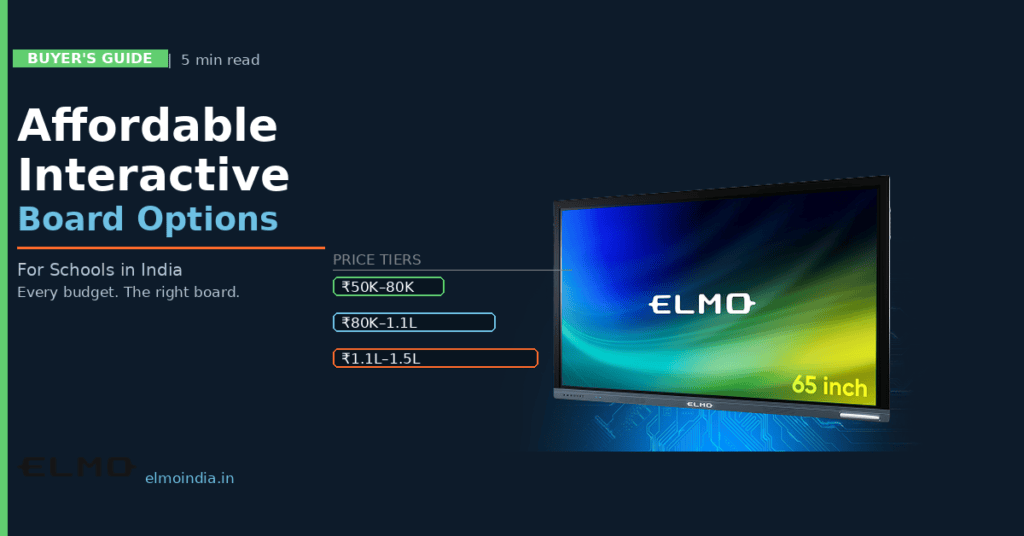
Budget is the first conversation in almost every school’s interactive board discussion — and it should be. But “affordable” does not mean cheap, and the cheapest board on the market is rarely the most cost-effective one. For Indian schools looking to invest in interactive boards for classrooms without straining their budgets, the goal is finding the board that delivers maximum daily teaching value per rupee spent — not the one with the lowest sticker price. This guide maps out what each budget tier delivers, which features schools can compromise on, and which ones they should never skip.
What Does ‘Affordable’ Actually Mean for School Interactive Boards?
In the Indian school market, “affordable” means different things to different institutions. For government-aided schools working within state education budgets, affordable might mean under ₹80,000. For mid-tier private schools, the ₹90,000–1,20,000 range is typical. For premium schools, affordable might still mean ₹1,50,000 — because they’re evaluating value over a seven-year lifespan, not just the purchase price.
A practical way to think about affordability: divide the board’s total cost (including installation and first-year AMC) by the number of teaching days over its expected lifespan. A ₹1,10,000 board lasting 8 years, used 220 days per year, costs less than ₹0.63 per teaching hour — less than a piece of chalk per class.
Features That Schools Should Never Compromise On — Even at Low Budgets
Affordability decisions become costly when schools cut the wrong features. Based on how interactive boards are used in classrooms daily, three features should always be present regardless of budget:
Touch latency under 35ms: A board that responds slowly to stylus or finger input frustrates teachers so much that they stop using the interactive features entirely. This is the single most-regretted cost-cutting compromise in school board purchases.
Display brightness of 350+ nits: Indian classrooms often have natural light from windows. A dim panel that washes out in daylight becomes a projector-screen substitute — not an interactive board. Brightness is non-negotiable.
Minimum 3-year warranty with on-site service: A board that breaks down in year two and requires six weeks for repair disrupts an entire classroom’s teaching. Always confirm the warranty covers on-site repair in your city, not just carry-in to a service centre.
Features Schools Can Reasonably Save On at Entry Price Points
Not every feature justified at premium price points is necessary for a standard school classroom. These are areas where cost-cutting is reasonable:
4K resolution: Full HD (1080p) is excellent for classroom use up to 75 inches. The 4K premium is more valuable in larger rooms where students view fine detail from distance.
Dual OS (Android + Windows): Android-only boards handle the full range of school apps effectively. The Windows OPS module is a useful addition but not essential for most teaching workflows.
40-touch-point panels: 10–20 touch points cover every realistic classroom collaborative activity. 40-point panels are designed for exhibition and corporate use.
Built-in front cameras: Useful for hybrid teaching but adds cost. Schools not running regular video conferences can skip this and use an external webcam if needed.
How to Reduce the True Cost of an Affordable Board
The purchase price is only part of the affordability equation. Schools can reduce the total cost of ownership through a few smart procurement decisions. Read our post on why upgrading to a digital blackboard saves money long term for the full financial analysis, but here are the key levers:
Buy in volume: Ordering three or more boards at once typically unlocks 10–15% volume discounts from most vendors. Even a two-classroom pilot purchase can qualify.
Choose Android-only boards: Avoids Windows licence costs and reduces per-unit price without compromising daily classroom functionality.
Negotiate AMC into the purchase: Bundling the first year of AMC into the purchase price is common and gives cost certainty for year one.
Leverage government schemes: Schools under NEP digital infrastructure initiatives, Samagra Shiksha, or state-level smart classroom programmes may qualify for subsidised procurement or GST concessions.
The ELMO Affordable Range — Built for Real School Budgets
ELMO India’s interactive board range is designed specifically for Indian classroom conditions — tested for the dust, humidity, and daily-use intensity that Indian school environments demand. The 65-inch ELMO board sits in the ₹90,000–1,30,000 range that covers the majority of school budgets, with Full HD display, Android OS, multi-touch, built-in speakers, and a genuine warranty with on-site service.
For schools that want a complete affordable classroom setup — interactive board plus document camera — the ELMO L-12G visualiser pairs directly with the interactive board for a combined investment that replaces projector, whiteboard, and overhead projector in one streamlined digital classroom. For budget guidance on smart boards, also read our post on how to choose a smart touch board on a budget.
Affordable and Reliable Are Not Opposites
The Indian market offers genuine affordable options for interactive boards for classrooms — boards that are priced accessibly and perform reliably for years of daily teaching. The key is knowing which features are worth every rupee and which ones to skip at your budget level. ELMO India helps schools at every budget point find the right board. Contact the team for a school-specific quote and classroom demo.
FREQUENTLY ASKED QUESTIONS
Q1: What is the most affordable interactive board price for schools in India?
Functional interactive boards for school classrooms are available from approximately ₹50,000 for basic 55-inch entry-level models. However, for daily classroom use, the ₹80,000–1,10,000 range offers a significantly better experience — 65-inch display, Android OS, built-in speakers, and a usable warranty. Boards below ₹70,000 often have short warranties, limited local service, or touch systems that underperform in high-frequency daily use.
Q2: Can an affordable interactive board replace a projector in a school classroom?
Yes. Even mid-range interactive boards at ₹80,000–1,10,000 fully replace a projector, screen, and whiteboard in one device. They have self-lit displays that work in any lighting condition, no lamp replacement costs, and full touch interactivity that projectors cannot provide. Over a five-year period, a mid-range interactive board typically costs less in total than maintaining an existing projector fleet.
Q3: What should schools prioritise when buying on a tight budget?
On a tight budget, prioritise in this order: (1) touch latency under 35ms for natural writing response, (2) display brightness of 350+ nits for daylight visibility, (3) Android OS for app support, (4) minimum 2-year on-site warranty. Features like 4K resolution, dual OS, and 40-touch-point panels can be skipped without significantly impacting daily teaching value.
Q4: Are refurbished or second-hand interactive boards a good option for schools?
Refurbished interactive boards are generally not recommended for school environments. The daily usage intensity in a school (5–8 hours of touch use per day) demands reliable hardware. Used boards may have degraded touch layers, dimmed panels, or expired software support — none of which is visible until the board is in use. The total cost of maintaining a problematic refurbished board often exceeds the price difference over two to three years.
Q5: Do government schools in India get discounts on interactive board purchases?
Yes — government schools may qualify for subsidised pricing through Samagra Shiksha Abhiyan, state-level Smart Classroom schemes, or direct MoE procurement channels. Additionally, educational institutions are eligible for input tax credits that reduce the effective GST burden. Schools should request a government/educational institution quote separately from standard retail pricing, as vendor pricing for institutional buyers is often 10–20% lower than listed market prices.