Thirty postgraduates crowd around one specimen tray and the four at the back see nothing but shoulders. A consultant holds an ECG strip up to a laptop webcam and the resident on the other end squints at a grey blur. Most Indian hospitals and medical colleges have already paid for the projector, the PACS licence and the teleconsultation subscription — the missing piece is the one that puts a real, physical object on screen sharply, and that piece is a document camera. This guide walks through where it earns its place in training, diagnostics and telemedicine, and what to specify before you buy.
The Visibility Problem Nobody Budgets For
Clinical teaching is built on small things. A slide, a suture line, a drug label, a millimetre of ST elevation on a printout — the whole lesson often lives in a detail smaller than a thumbnail. Projectors and whiteboards were designed for slides, not for objects.
The usual workaround is to photograph the object on a phone, transfer it, then open it on the display. It works, it takes four minutes, and it breaks the rhythm of the session every single time. Multiply that across every ward round, tutorial and skills lab in a term and the cost is measured in teaching hours, not rupees.
What a Document Camera Does in a Clinical Setting
It is an overhead camera on an articulated arm with its own lighting and optical zoom. Point it at a specimen jar, a lab report or an instrument tray, and the live feed goes straight to an interactive panel, a projector or a video-conferencing window. Nothing is scanned, uploaded or emailed — the object simply appears, at scale, in real time.
That matters for compliance as much as for teaching. The Telemedicine Practice Guidelines notified on 25 March 2020, prepared by the Board of Governors in supersession of the Medical Council of India in partnership with NITI Aayog, form Appendix 5 of the Indian Medical Council (Professional Conduct, Etiquette and Ethics) Regulations, 2002. They recognise video, audio and text as valid modes of consultation, and note that a video consult lets a practitioner form a far better judgement than text alone.
Medical Training: Everyone Sees the Same Detail at the Same Time
In a skills lab, the instructor’s hands are the lesson. An overhead visualiser above the mannequin or the suture pad puts those hands on an 86-inch panel, so the back row watches the same needle angle as the front row. Annotation on top of the live feed lets a faculty member circle a landmark while the demonstration is still running.
The accessibility gain is just as real. Learners with low vision, learners who rely on lip reading, and learners stuck behind a pillar stop being second-class participants — a point explored in How Document Cameras Support Inclusive Education. The same logic scales straight into a lecture theatre of 200 MBBS students.
Specification decides whether this feels effortless or frustrating. The ELMO L-12G visualizer shoots in 4K with 12x optical zoom, an arm that rotates 270 degrees and bends 180 degrees, one-touch autofocus and single-click capture — so a demonstration can be recorded once and reused as revision material for the next batch.
Microscopy, Pathology and the Lab Bench
Histopathology and microbiology teaching still runs on eyepieces. One student looks, describes what they see, and everyone else takes it on trust. Coupling a visualiser to a microscope turns that private view into a shared image the whole group can argue about, which is where the actual learning happens.
This is one of the highest-return installations in a medical college, and the mechanics are covered in How the ELMO L-12G Enhances Microscope Imaging in Classrooms and Labs. Culture plates, gram stains and urine sediments all become group exercises instead of queues at the bench.
Telemedicine: Sending Detail, Not Just a Talking Head
Teleconsultation in India stopped being a pilot years ago. In a written reply in the Lok Sabha, the Health Ministry reported that 13,91,61,458 eSanjeevani teleconsultations had been completed as on 19 July 2023, with 2,08,569 spokes connected to telemedicine services. Volume at that scale exposes the weakest link in the chain, and it is almost always image quality.
A webcam is engineered for faces. Hold a discharge summary, a biopsy report or a printed dermatology image in front of one and the text goes soft at exactly the moment it needs to be legible. A document camera visualiser on the hub side lets the specialist walk a rural spoke through an annotated diagram; at the spoke, a health worker can place a wound, a rash or a handwritten local prescription under the lens for the doctor to read properly.
That second direction is the one hospitals underestimate. Most teleconsultation setups are built to broadcast the specialist outward, when the harder problem is getting reliable visual information back in from a PHC with one nurse and a shaky connection.
Specifying an Interactive Display for Healthcare Environments
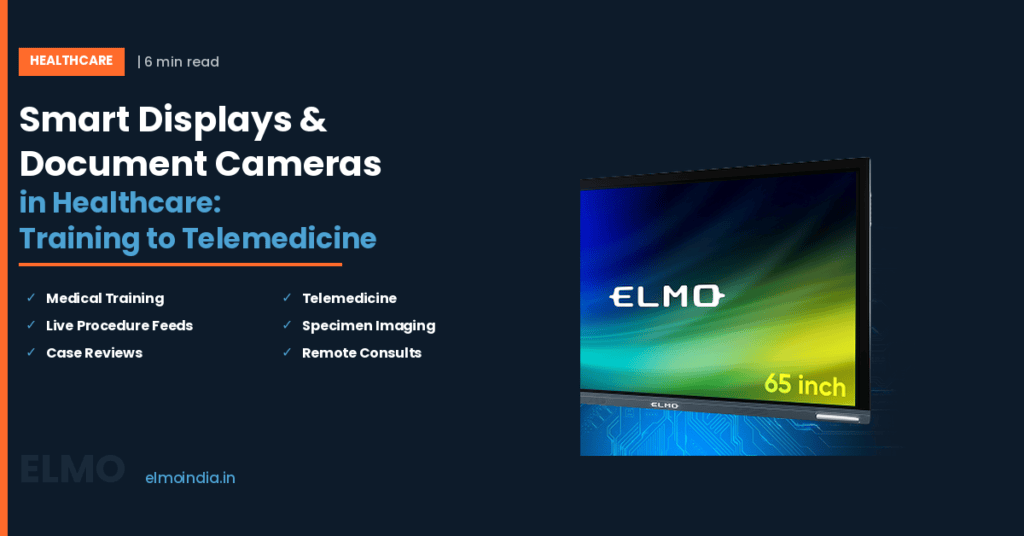
Panels in hospitals face conditions classrooms never do. Daylight flooding a seminar room, gloved hands on the glass, and a cleaning protocol between sessions all change what “good enough” means. ELMO Boards come in 65, 75 and 86-inch sizes with infrared touch and 350 to 450 cd/m² brightness — the range that holds up in a bright room instead of washing out by 11am.
Three practical checks before you sign off: can the panel mirror wirelessly from a consultant’s phone or tablet mid-meeting, so nobody hunts for a cable? Is the surface edge-to-edge and free of recessed buttons, so it can be wiped down with a hospital-approved disinfectant applied to a cloth rather than sprayed at the screen? And is there a service and training path attached, not just a delivery date? It is worth asking to schedule a live ELMO demo and running your own specimens, slides and reports through the setup before a purchase order is raised.
Getting Started Without Over-Buying
Start with one room. A skills lab, a pathology demonstration room, or the hub end of your teleconsultation service will show you the return inside a single term. Pair one interactive panel with one document camera, record two or three sessions, and ask the faculty and the residents what actually changed.
If it works there, the case for the second and third room writes itself — backed by your own usage data rather than a vendor’s brochure. That is a far easier conversation to have with a finance committee than a campus-wide rollout funded on faith.
—
Frequently Asked Questions
Can a document camera be used with Zoom, Microsoft Teams or Google Meet?
Yes. Most modern units are USB Video Class (UVC) compliant, so they are recognised as a standard camera with no driver installation on Windows, macOS or ChromeOS. In Zoom you can either select it as your main video source, or keep your webcam on your face and share the camera separately using Share Screen, then Advanced, then Content from 2nd Camera.
What is the difference between a document camera and a visualiser?
There is no technical difference — they are two names for the same device. "Document camera" is the common term in the United States and in most Indian tender documents, while "visualiser" is the British English usage and is what ELMO and other Japanese and European manufacturers typically print on the box. You will also see "visual presenter" and "digital overhead" used interchangeably in older procurement specifications.
Do doctors in India need any certification to practise telemedicine?
The Telemedicine Practice Guidelines require every registered medical practitioner intending to offer online consultations to complete a mandatory online course within three years of its notification, after which qualifying the course becomes essential before practising telemedicine. The guidelines also confirm that explicit patient consent can be recorded in any form — an email, a text, or an audio or video message — and must be entered into the patient record.
How much zoom does a document camera need for medical demonstrations?
Look at optical zoom first, not the headline number. Optical zoom moves real glass and preserves detail; digital zoom simply enlarges pixels and softens fine structures like suture material or slide morphology. The ELMO L-12G offers 12x optical plus 16x digital, and for clinical teaching the optical portion is what determines whether a printed lab value stays readable across a large room.
How do you keep an interactive display hygienic in a clinical area?
Treat the panel as a high-touch surface on the same schedule as door handles and bed rails. Apply a hospital-approved disinfectant to a lint-free cloth rather than spraying the screen directly, so liquid cannot pool at the bezel edge. Wipe between teaching sessions and after any gloved use, and choose a flush, edge-to-edge glass surface with no recessed buttons where residue can collect. —